

 Back
Back






















7.8 Maintenance
User manual
1. Getting started
2. Workspace overview
3. My account
4. Creating & Activating Tracker (Manually)
4.1 Creating & Activating Tracker (Automatically)
4.2. Creating & activating mobile phone
5. Sensor Management
6. Device Management
7. Tools Overview
7.1 Tools Alerts
7.2 Geofences
7.3 Reports
7.4 Send Commands
7.5 POI
7.6 Camera_Media
7.7 Tasks
7.8 Maintenance
7.9 Overview Feature
7.10 Sharing
8. Widgets
Admin manual
Maintenance Tool Overview
The Maintenance tool helps you set up vehicle service schedules and sends reminders when the next service is due.
You can access the Maintenance tool in two ways:
- Via Object Details: Select the “Services” tab within the object’s details.
- Via Widget: Enable the “Service” widget in Admin Settings > Widgets. The widget will appear at the bottom of the map when you select an object and click the gear icon.
Alternatively, you can access the Maintenance tool through the Side Panel:
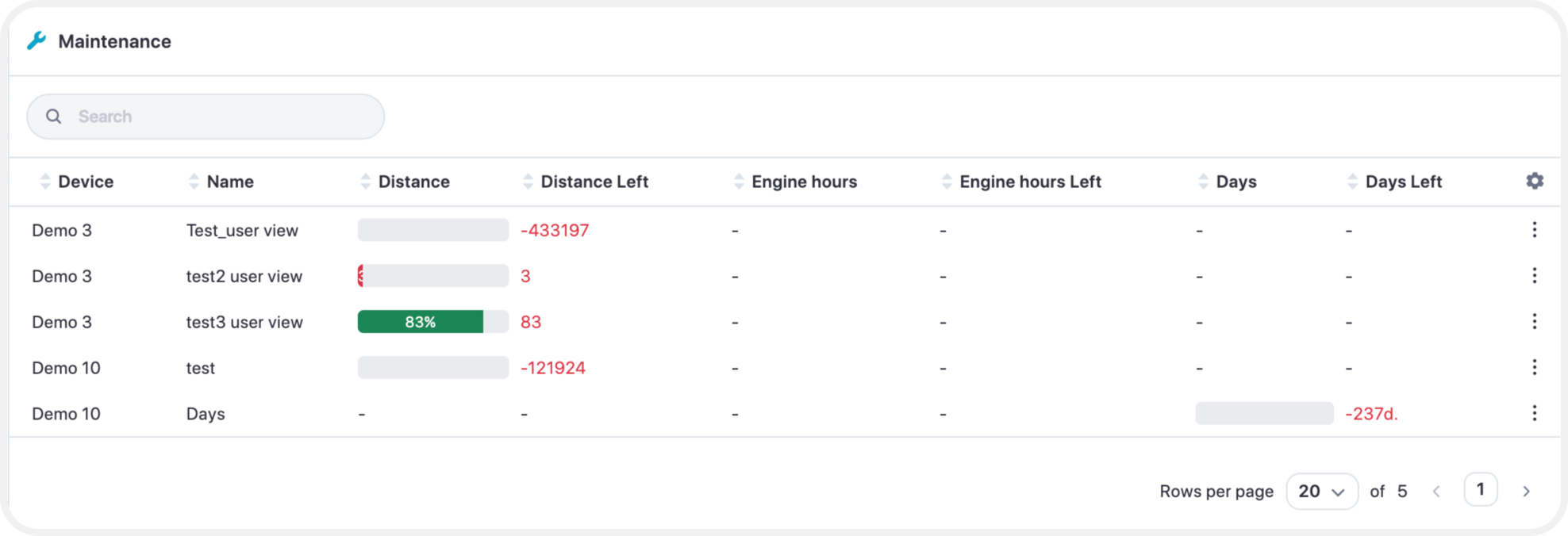
Via "Service" widget by selecting the gear icon:
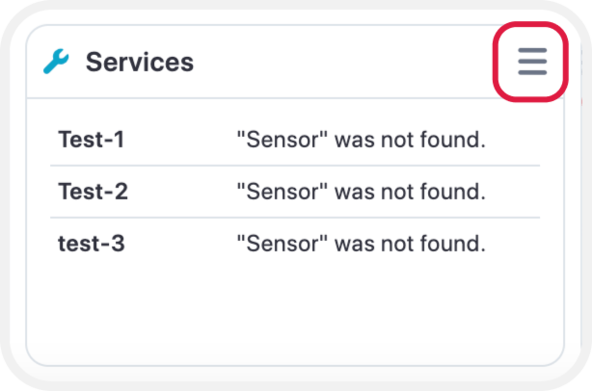
After opening the Maintenance tool, the screen will display all current service schedules.
To create a new schedule, click “Add Service”.
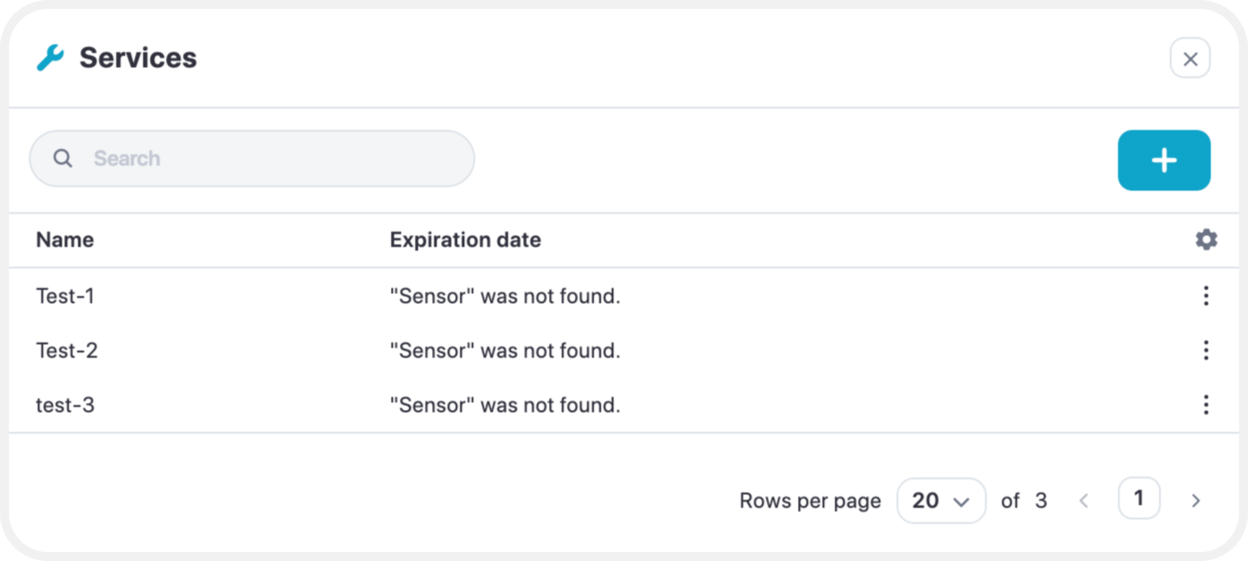
Once selected, you will be prompted to enter the following information:
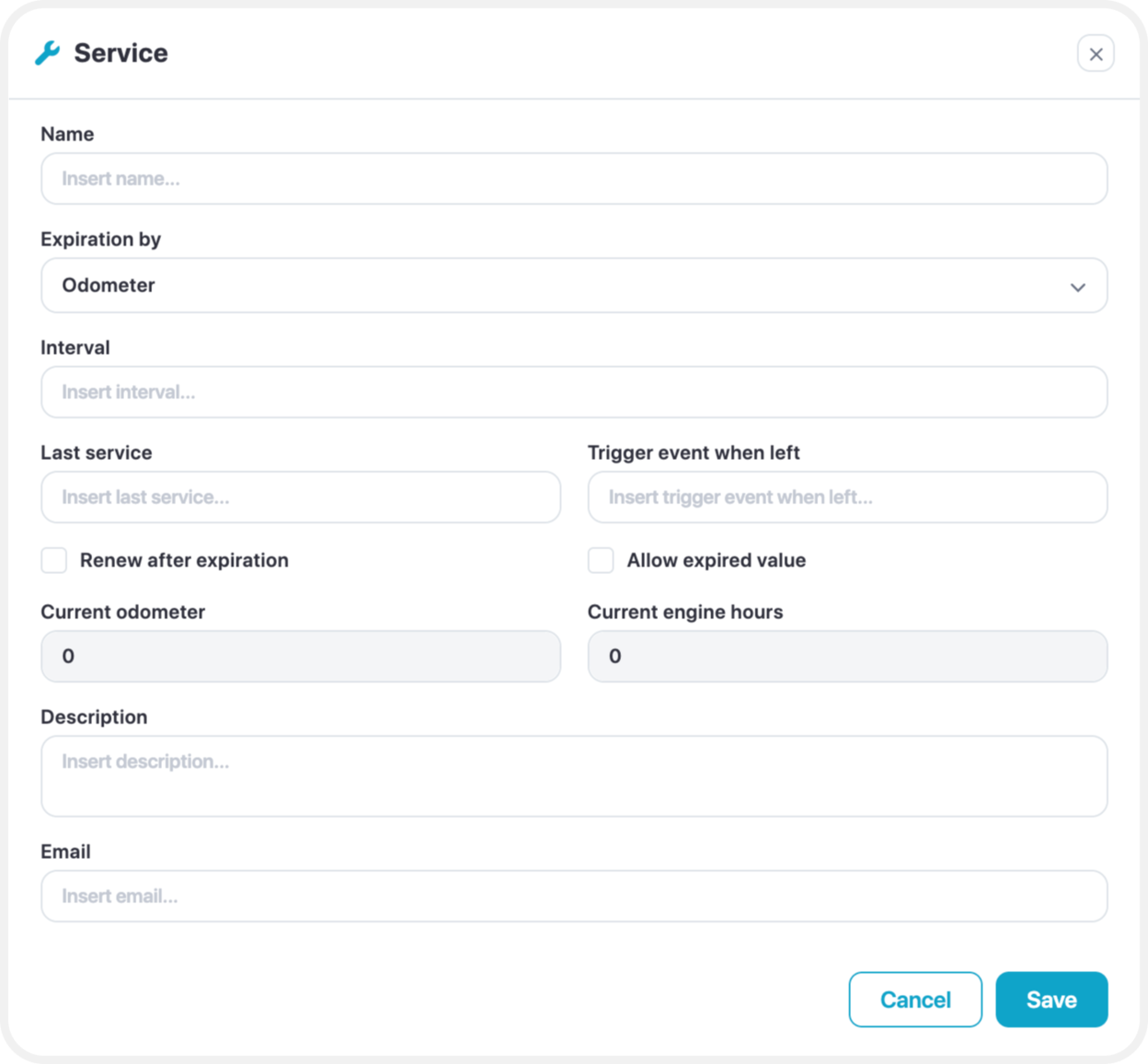
- Name: Enter a name for the scheduled service.
- Expiration By: Choose the condition that triggers service expiration:
- Odometer
- Engine Hours
- Days
- Interval: Set the specific interval for the selected condition (odometer reading, engine hours, or number of days) after which the vehicle is due for maintenance.
- Last Service: Enter the value representing when the vehicle was last serviced (odometer reading, engine hours, or date).
- Trigger Event When Left: Specify a threshold value that will trigger an alert when the remaining interval before service reaches this amount.
- Renew After Expiration: Enable this option to automatically renew the service schedule after expiration.
- Description: Provide a brief description of the service.
- Email/Phone Number: Enter contact details if you want alerts sent before the vehicle's service is due.
To view all scheduled maintenance, navigate to Side Panel > Maintenance.